
Google review stands and cards: a practical guide to getting more Google reviews
Most of your happy customers would leave a review if it took ten seconds. This guide explains how a Google review stand or a Google review card gets it down to that, which one suits your business, where to put it, and what Google's rules allow.
Why Google reviews matter to a local business
When someone searches for a business like yours, Google shows a map and a short list of nearby businesses before any ordinary search results. Your star rating and the number of reviews sit right next to your name in that list, and they are often the only thing a searcher compares before choosing who to call.
Reviews also affect whether you appear in that list at all. Google's own guidance to business owners lists prominence as one of the three things that decide local ranking, and names review count and rating as part of prominence. It also tells owners to encourage customers to leave reviews and to reply to them.
Recent reviews matter as much as the total. A business with forty reviews, the latest from three years ago, looks less active than one with twenty from the past few months. The aim is a steady flow, not a one-off push.
Why happy customers do not leave reviews
It is rarely unwillingness. A customer says "I will give you a review", walks out, and then has to open Google, search for your business, find the right listing among similar names, scroll to the reviews and find the button. Somewhere in those steps the moment passes.
So the most effective change is not asking more often. It is removing the steps between "yes, happy to" and the review box. That is the whole job of a review stand or review card.
What is a Google review stand?
A Google review stand is a small countertop display with an NFC chip inside, the same contactless technology a bank card uses. The customer taps their phone on it and your Google review page opens in their browser, already on your business, with the star rating ready to fill in. No app, no searching.
Because it stays on the counter, a stand asks every customer who passes it, every day, without anyone on your team having to remember. Ours come in two designs at the same price.
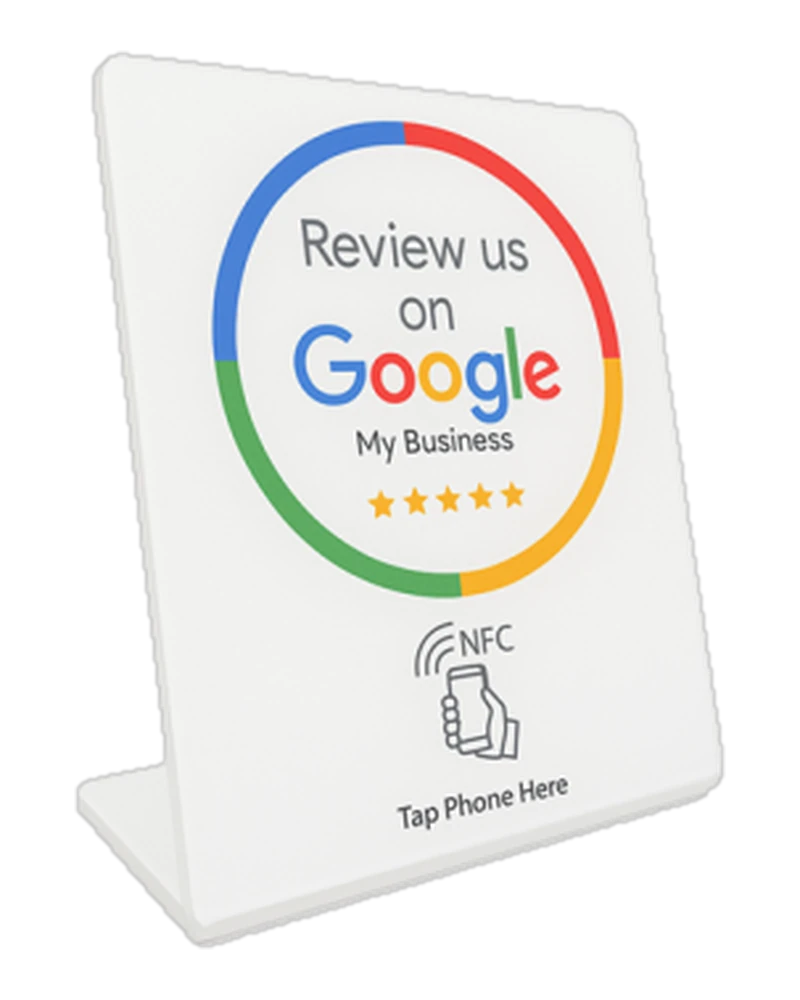
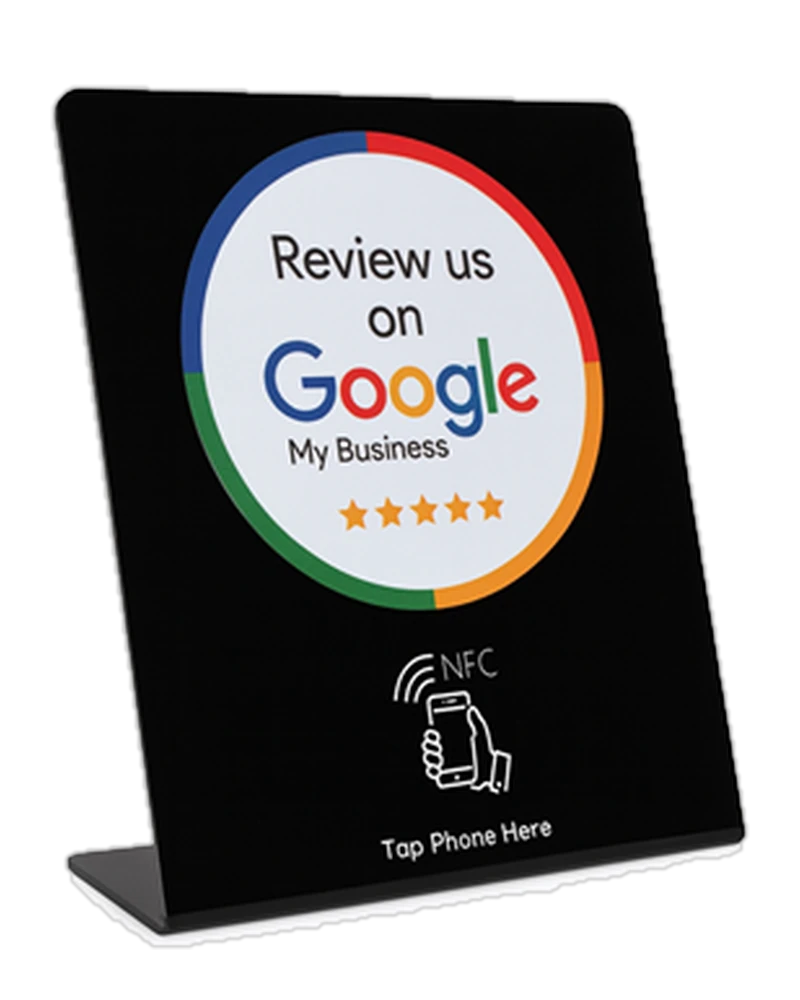
Standard review stand
The "Review us on Google" design is already printed, in white or black, so there is no artwork to approve. Customers tap their phone on it.
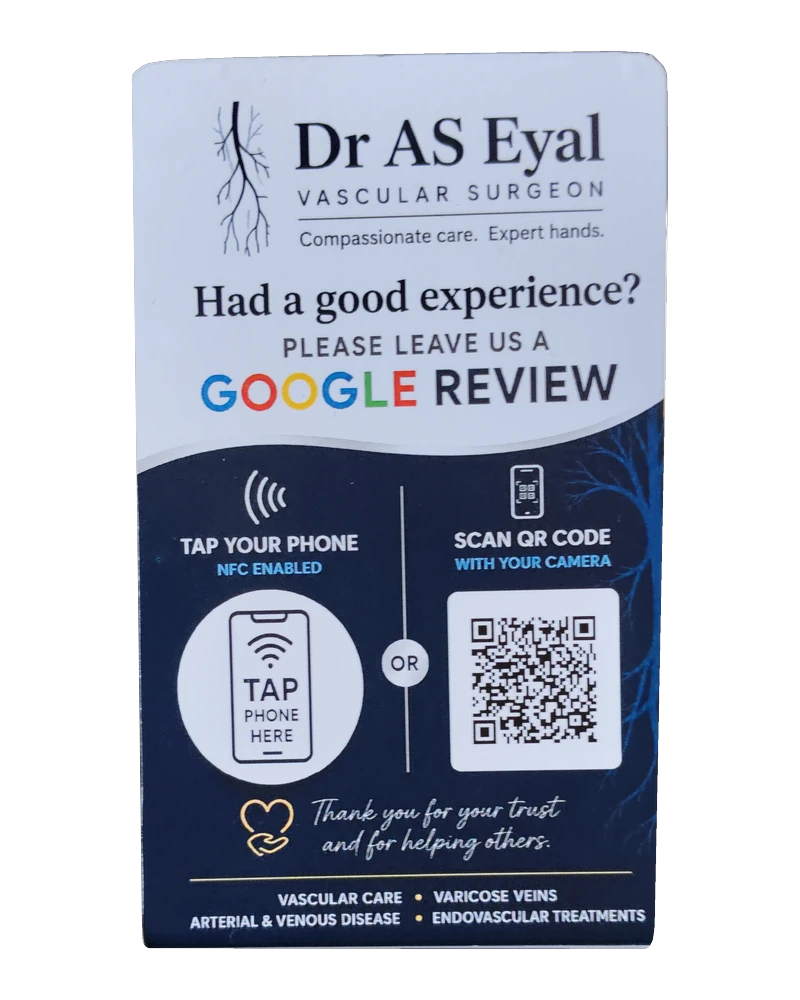
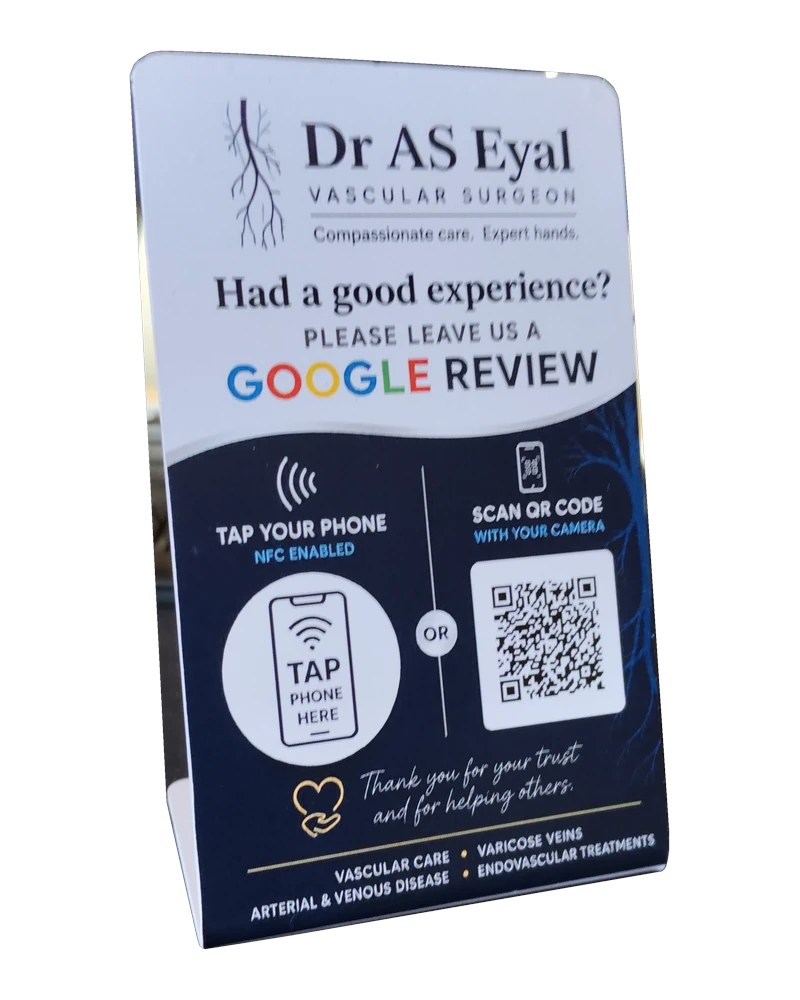
Custom review stand
Your logo, your colours and your own wording. Customers can tap it or scan the printed QR code, which covers older phones that cannot read a tap.
Both are R449 including VAT. See the Google review stand options.
What is a Google review card?
A Google review card does the same job in your pocket. It is a printed card the size of a bank card, branded with your logo, with an NFC chip linked to your Google review page. A team member holds it out at the end of a job, the customer taps it with their phone, and the review page opens.
Cards suit people who work away from a counter, and they are cheap enough to give one to everyone who meets customers. A Google review card from us is R449 for a single card, dropping to R249 each from 50 cards, with no minimum order.
Card or stand: which suits your business?
The question is simple: does the customer come to you, or do you go to the customer?
Choose a stand if customers come to you
- Shops, pharmacies and salons with a till
- Medical, dental and veterinary practices with a reception desk
- Gyms, hotels and guest houses with a front desk
- Restaurants and coffee shops at the pay point
Choose cards if you go to the customer
- Plumbers, electricians, installers and technicians
- Delivery drivers and mobile service teams
- Waiters, who can bring the card with the bill
- Estate agents and consultants who meet clients on site
Many businesses use both: one stand per till, and a card for each person who works away from it.
How to find your Google review link
Every stand and card opens one address: the review link for your Google Business Profile. Reviews can only be left on a business that has a profile, so if you do not have one yet, create and verify it first at google.com/business.
- Sign in to Google with the account that manages your business.
- Search for your business name on Google. Your profile appears with the owner's tools above it.
- Choose "Ask for reviews" (on some profiles it is labelled "Get more reviews").
- Copy the link Google gives you. That is your review link.
If that sounds like a chore, skip it. When you order from us, tell us your business name as it appears on Google, and we link the stand or card to your review page before it is delivered.
Where to place a Google review stand
Where the good moment happens
Put it where the customer is happiest: at the till as they pay, at reception as they leave the consulting room, at the table when the bill arrives. Not at the entrance, before you have done anything.
In reach, facing the customer
The customer must be able to tap it without leaning over the counter. Keep it in front of the card machine or beside it, facing out, and clear of clutter.
One per point of sale
A single stand at the end of a long counter only reaches the customers at the nearest till. Put one at each point where customers pay, so every customer passes one.
How to ask for a review without breaking Google's rules
A stand works better when your team points at it. One short line at the right moment is enough: "If you were happy with us today, you can tap your phone here to leave us a Google review. It takes a few seconds." Say it to every customer, in the same words, so it becomes habit rather than a judgement call.
Google encourages businesses to ask for reviews, but its policies forbid a few things that can get reviews removed or a profile penalised:
- No rewards for reviews. Do not offer a discount, a free item or an entry into a draw in exchange for a review, even a review of any rating.
- No cherry picking. Do not ask only the customers you expect to be happy, or send unhappy customers somewhere else first. Ask everyone.
- No reviews from your side. Staff, family and the owner should not review the business, and nobody should write a review on a customer's behalf.
A stand on the counter fits these rules naturally, because it asks every customer the same way. Finally, reply to your reviews, the critical ones especially. A calm, helpful reply to a two-star review often does more for the next reader than another five-star one.
What about phones that cannot tap?
Any modern iPhone or Android phone reads an NFC tap without an app. Some older phones do not, and on some Android phones NFC has been switched off in the settings. A printed QR code is the backup, because every phone camera reads one. That is the practical reason to choose the custom stand, which carries both. Our guide to NFC versus QR covers the difference in more detail.
What a Google review stand and card cost
Prices include VAT and exclude delivery. There is no minimum order, and card prices step down from 5, 10, 25 and 50 cards. See the full price list.
You may also be interested in
Does your team serve customers face to face?
Google review stands
Put a branded stand on the counter. Customers tap their phone and land straight on your Google review page. No app, and no minimum order.
See Google review cards and standsRunning a promotion across your branches?
In-store competitions
Customers scan or tap a counter stand and enter on their own phone. No paper slips, and every entry is tagged with the branch it came from.
See in-store competitionsFrequently asked questions
What is a Google review stand?
A Google review stand is a small countertop display with an NFC chip inside. A customer taps it with their phone and your Google review page opens straight away, so they can leave a review without searching for your business. Taplink stands cost R449 including VAT, either with a ready-made Google review design in white or black, or custom-printed with your logo and a QR code.
What is a Google review card?
A Google review card is a printed card the size of a bank card with an NFC chip linked to your Google review page. Staff carry it or hand it to a customer, the customer taps it with their phone, and your review page opens. Taplink review cards are R449 for a single card and drop to R249 each from 50 cards, with no minimum order.
Should I get a review stand or review cards?
Get a stand if customers come to you and pass a counter, reception desk or till. Get cards if your staff go to the customer, such as installers, technicians, delivery drivers or waiters taking the bill to the table. Many businesses use one stand per till and a card for each person who works away from it.
Does a Google review stand work with every phone?
Any modern iPhone or Android phone reads the tap without an app. Some older phones do not read NFC, which is why the custom stand also carries a printed QR code that any phone camera can scan.
Is it against Google's rules to ask for reviews?
No. Google encourages businesses to ask customers for reviews. What Google prohibits is offering a discount, gift or other reward in exchange for a review, and asking only the customers you expect to be happy while steering unhappy ones away. A review stand on the counter asks every customer equally, which is exactly what the rules want.
Do I need to set up the review link myself?
No. When you order, tell us your business name as it appears on Google, and we link the card or stand to your own Google review page before it is delivered. You do need a Google Business Profile for your business, because that is where the reviews are posted.
Put a Google review stand on your counter
R449 including VAT, linked to your own Google review page, with no minimum order. Delivered across South Africa and Namibia.
Order a stand or cards